Local Composer API for macOS

API for Cursor

Run a small local server that makes Cursor Composer models available to OpenCode, Codex, VS Code extensions, and any OpenAI-compatible client.

Local first

The server runs on your Mac, so agent tools keep working against your project files instead of a hosted sandbox.

OpenAI-compatible

Chat Completions, Responses, and Models endpoints are exposed at a local /v1 base URL.

Auto-updating

Sparkle update feeds let signed releases roll forward without asking users to reinstall manually.

Works where agents already run

One local app, first-class agent setup.

API for Cursor

Listening on http://127.0.0.1:8787/v1

Server On
Modelshttp://127.0.0.1:8787/v1/models
Chathttp://127.0.0.1:8787/v1/chat/completions
Responseshttp://127.0.0.1:8787/v1/responses
OpenCode Installed
Codex Installed

Start once, use everywhere

Paste your Cursor key in the app, start the local API, then configure supported agents with one click.
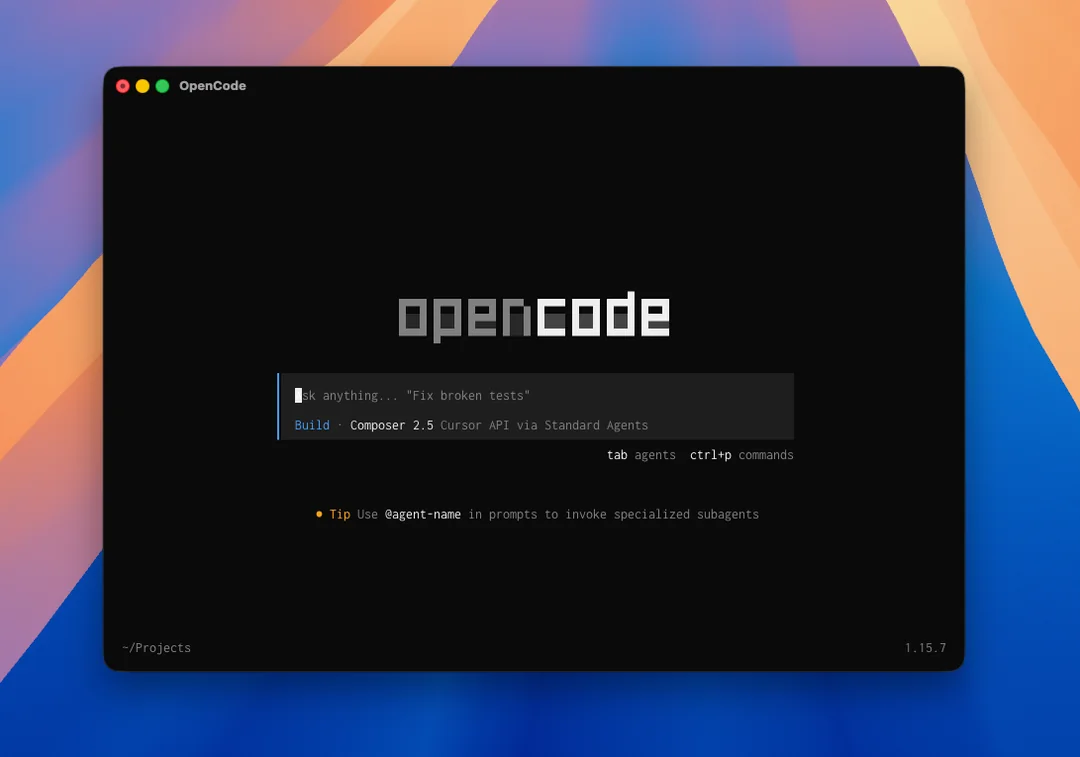
OpenCode selecting Composer 2.5 through API for Cursor

OpenCode sees Composer models

OpenCode keeps its local filesystem and shell loop while the model route goes through the local API.

Codex custom provider
composer-2.5 Ready
composer-2.5-fast Fast
[model_providers.cursor-composer]
base_url = "http://127.0.0.1:8787/v1"

Codex-compatible provider

Use the same OpenAI-compatible base URL in Codex and other tools that support custom providers.

Production release path

Signed DMG installs, notarization, and update feeds.

Releases are built by GitHub Actions, packaged as a DMG, notarized by Apple, published to Cloudflare R2, and announced to the app through a Sparkle appcast.

Download latest DMG Auto-updates after install